SMS plugins and connectors
Communicate by mobile message with your users and customers from your favorite tools. Find the SMS extension that's right for you from our suite of plugins designed for all your mailings and campaign types: marketing, notification, single-use code...

THE TRUST OF YOUR FAVORITE COMPANIES


Our plugins SMS
All the benefits of an SMS campaign directly in your tools.
Selligent by Marigold
Plugin
Engage your customers on the right channel from your AI-driven CRM.
Oracle Eloqua
Plugin
A gateway SMS that can be integrated with Eloqua campaign templates or workflows.
Our SMS connectors
Solutions close to API-type integration, with no need for development.
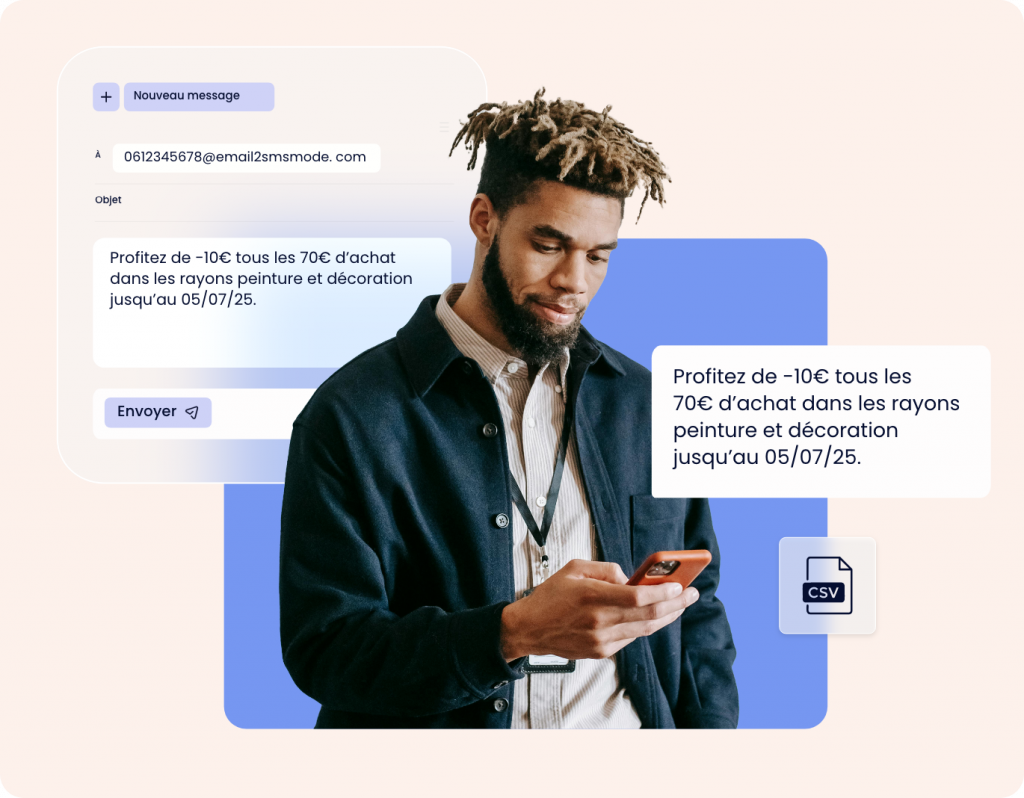
SMTP - Mail to SMS
Send SMS messages to one or more recipients from a single email. You can also program SMS messages to be sent using a CSV file sent by email. All configuration is detailed in a comprehensive documentation, so no technical knowledge is required. Compatible with all mailboxes, no additional software required.
SMPP (Short Message Peer to Peer)
Manage high volumes of SMS MT (sent to a cell phone) and SMS MO (sent from a mobile number) via our operator-direct gateway. This version offers access to all message personalization options (long text, personalized sender ID, encoding support, etc.).
Please note: this Gateway requires specific authorization based on IP addresses and an SMPP client (kannel or Adobe Campaign SMPP plugin).


SFTP (Secure File Transfer Protocol)
An SFTP-based method for securely transferring one or more customizable batch files in CSV format. The document contains the recipients' cell phone numbers, the messages to be routed, the date and time the campaign was sent, the sender, etc.
Benefits of mobile messaging
Join smsmode© in one click
Easy plugin installation from your tool's marketplace, or in just a few simple steps thanks to step-by-step tutorials.
No installation costs or additional operating costs
Pay only the cost of the messages sent, and benefit from full support from our experts.
Connect to CRM and ERP systems
Save time by managing the creation and dispatch of your campaigns directly from the application. Automate your workflows in just a few clicks.
All on-board mobile messaging
Send SMS, as well as WhatsApp, Voice or RCS messages, and benefit from all the functionalities. smsmode©.
How do I integrate our plugins?
Google Calendar
Connect your Google calendar to our SMS service to automate the sending of reminders (appointments, reservations, events). Integration takes just a few clicks via our dedicated tutorial. You can link several calendars and benefit from an unlimited extension.
Adobe Campaign
An ideal plugin for all your mailings, from notifications to mass advertising campaigns and marketing automations.
Configuration is performed in 2 steps:
- Your smsmode account manager configures your account for integration.
- Enter the parameters provided by Adobe Campaign.
You can then manage your mailings directly from the Adobe Campaign interface, with customizable rates for marketing campaigns, notifications or automated messages.
Selligent
This plugin integrates seamlessly into your Selligent scenarios. From your interface, you benefit from an intuitive message editor and access to all functionalities: Sender ID personalization, emoji support, etc. Integration enables you to manage all use cases (notifications, campaigns, one-to-one SMS ) without leaving your CRM environment.
Our SMS plugin integrates with Selligent via theexternal actions system.
You can trigger the sending of SMS directly from your marketing scenarios by calling our API from a dedicated step :
- Add an external action to your Selligent scenario.
- Enter the URL of our API and dynamic parameters (e.g. phone number, first name).
- Test the call to validate the integration and make sure the message is sent.
There are no extensions to install, and integration is based on simple, secure HTTP calls.
Need help? Contact us
Oracle
Our Oracle connector is built to handle the routing of multi-million SMS campaigns, as well as the triggering of marketing automation messages.
How to integrate the Oracle connector?
Drag and drop our "Action" module directly into your Oracle interface. You can then easily set campaign triggers (date, time, target, etc.).
Zapier
Benefit from an API service that requires no technical knowledge, and trigger scenarios including SMS, text & voice in just a few clicks. Integrate workflows in which an action on your web service, application or CRM triggers our SMS service. Select your triggers and actions by drag & drop.
There are over 5,000 integration options available: CMS and e-commerce platforms (Magento, WordPress, and WooCommerce, Shopify…), payment solutions (Stripe, PayPal, Quonto, etc.), CRMs and ERPs (HubSpot CRM, SugarCRM, Salesforce, TrackVia, Zoho CRM, Pipedrive, Freshdesk, etc.), and more.
How to integrate smsmode© to Zapier?
Search for smsmode© on Zapier.com and start building your workflow.
Over 5,000 interconnection possibilities are available: CMS and e-commerce platforms (Magento, WordPress and Woocommerce, Shopify...), payment solutions (Stripe PayPal, Quonto, etc.), CRMs and ERPs (HubSpot CRM, SugarCRM, Salesforce, TrackVia, Zoho CRM, Pipedrive, Freshdesk, etc.) and many more.
Pipedrive
This extension is based on the synchronization of Pipedrive activities with your Google calendar. This allows you to automatically send SMS reminders to your customers based on Pipedrive activities: appointments, meetings or other events...
Configure the Google Calendar SMS plugin to automate the sending of a message based on an event, and your sales team now has an effective way of sending appointment reminders, meeting reminders and other notifications to customers linked to Pipedrive activities by SMS .
Hubspot
Integrate the powerful SMS lever into your automations to notify or communicate with your customers. Our plugin smsmode© is very comprehensive and can be integrated into all types of automation. From your transactions, contact records, company records and HubSpot workflows. Installation in 3 easy steps:
How do I integrate the HubSpot plugin?
- Search for smsmode© in the HubSpot marketplace.
- Create your smsmode account© from the dedicated page.
- Configure options as required.
You can then send SMS in your HubSpot automations (workflows, contact records, transactions, etc.) and enrich your relationship strategy with a direct and effective channel.
Customer.io
Connect smsmode© to your Customer.io account via a personalized webhook. This integration enables you to automate the sending of SMS in your behavioral scenarios (registrations, reminders, reminders, etc.). Simple configuration from your Customer.io interface and our step-by-step guide.
How to integrate smsmode© to Customer.io?
1-Access the workflow tool in Customer.io.
2-Select "Send and Receive data" to add a connection point.
3-Inform the requested values (API, content) and add your query.
4-Activate your SMS automation.
Klaviyo
Integration with Salesforce is via customized APEX classes (Salesforce's proprietary language). Add SMS to your CRM processes: appointment reminders, follow-up notifications or targeted campaigns. Our team can help you optimize your implementation, compatible with Salesforce Marketing Cloud or Salesforce CRM.
We provide you with ready-to-use APEX code examples, as well as detailed technical documentation to guide you step by step through the integration process.


Would you like to go further than a plugin?
Integrate our SMS API and make mobile messaging a feature of your web application.
Try out our SMS platform and benefit from 20 free test credits, with no obligation.